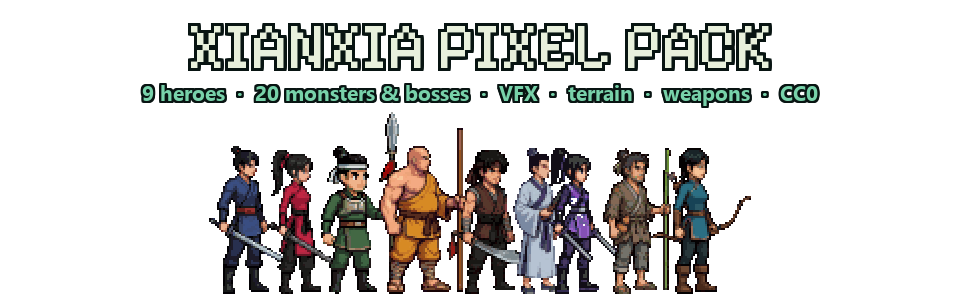
Xianxia Pixel Pack — 9 Heroes, 20 Monsters & Bosses, VFX, Terrain & Weapons
A downloadable asset pack
New in 2.1 — free update, 3,200+ new sprites
Nothing from 2.0 was changed or removed; everything below is new, in the same download.
- 9 animated heroes — swordsman, swordswoman, staff monk, spearman, archer, fan scholar, beggar, saber, twin-blade — idle, walk, attack, jump, fall, hurt, death, plus cast / block / dash skills
- Smooth animations for every hero, made from AI video and cleaned up frame by frame: idle loop, 12-frame walk cycle and a three-hit combo that chains on button presses. Robes, sleeves and ponytails swing with real follow-through.
- 17 animated monsters, 3 bosses (nine-tailed fox, fallen sword immortal, jiao dragon), 14 colour variants, 30 dialogue portraits × 3 expressions
- 4 terrain sets, 244 tiles, slopes, Tiled
.tsx+ GodotTileSetautotiling - Heavenly Palace backgrounds, 60 tiered & evolving weapons with 30 glow overlays, a jade-and-silk UI kit, ambient loops, cranes and animated props
Full list in WHATS_NEW.md. Also new: Sengoku Pixel Pack — feudal Japan, 8 legendary warlords, CC0.
Pixel art for a side-scrolling action game in a Chinese xianxia / wuxia setting: spell effects, parallax background props and weapon icons. Public domain (CC0) — commercial use, modification, no credit required.
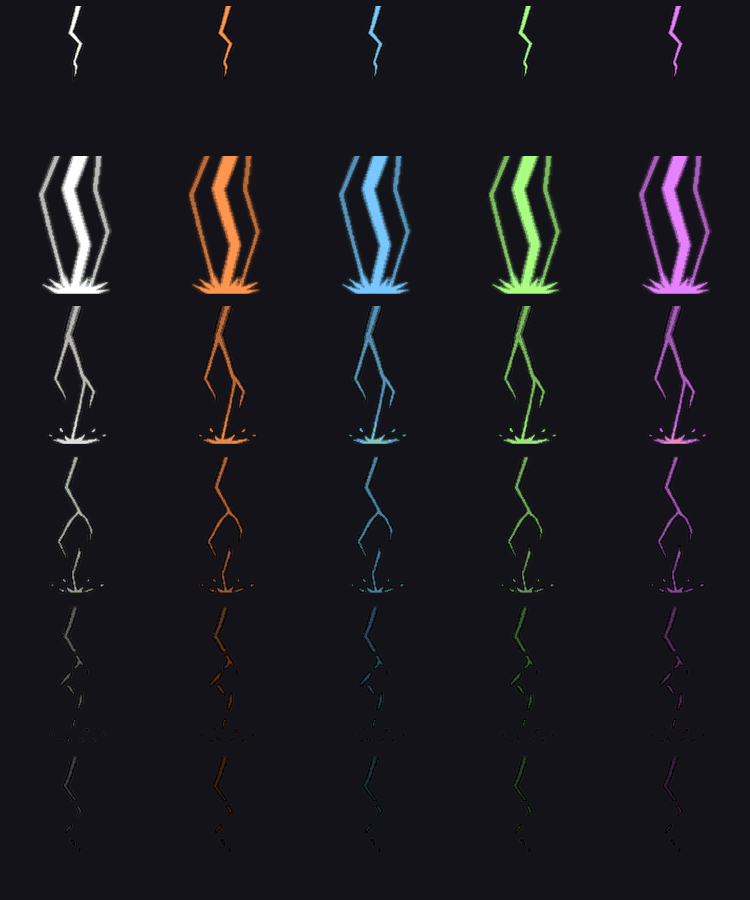
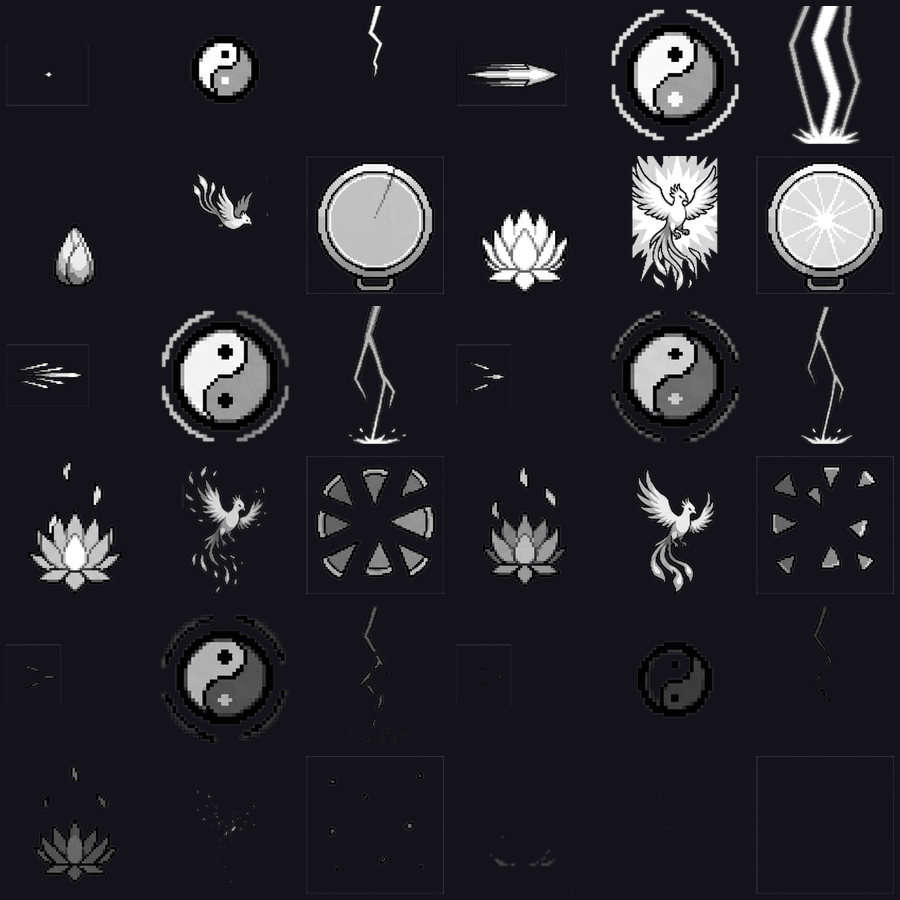
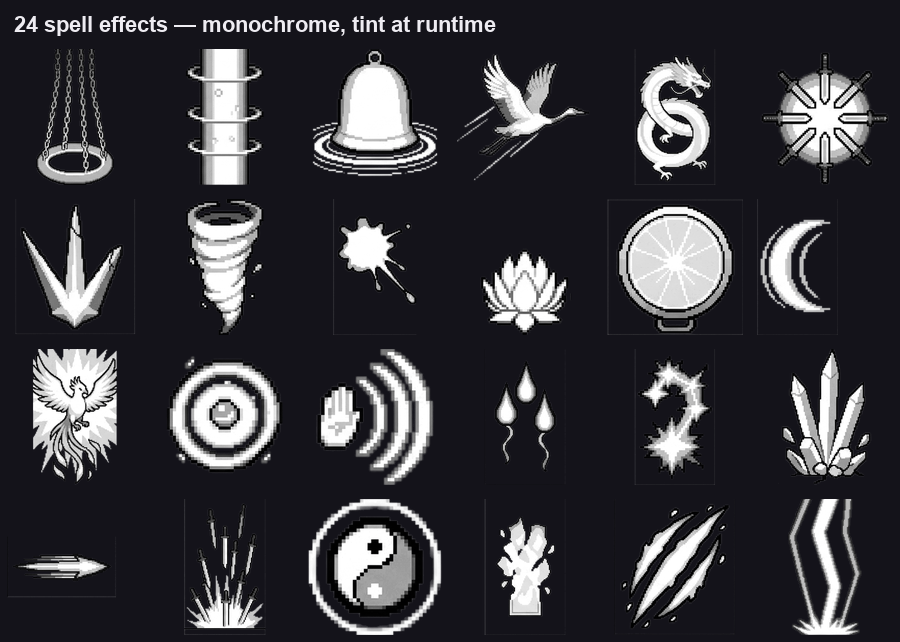
- 24 spell effects, 332 frames — frame-by-frame, 256 × 256
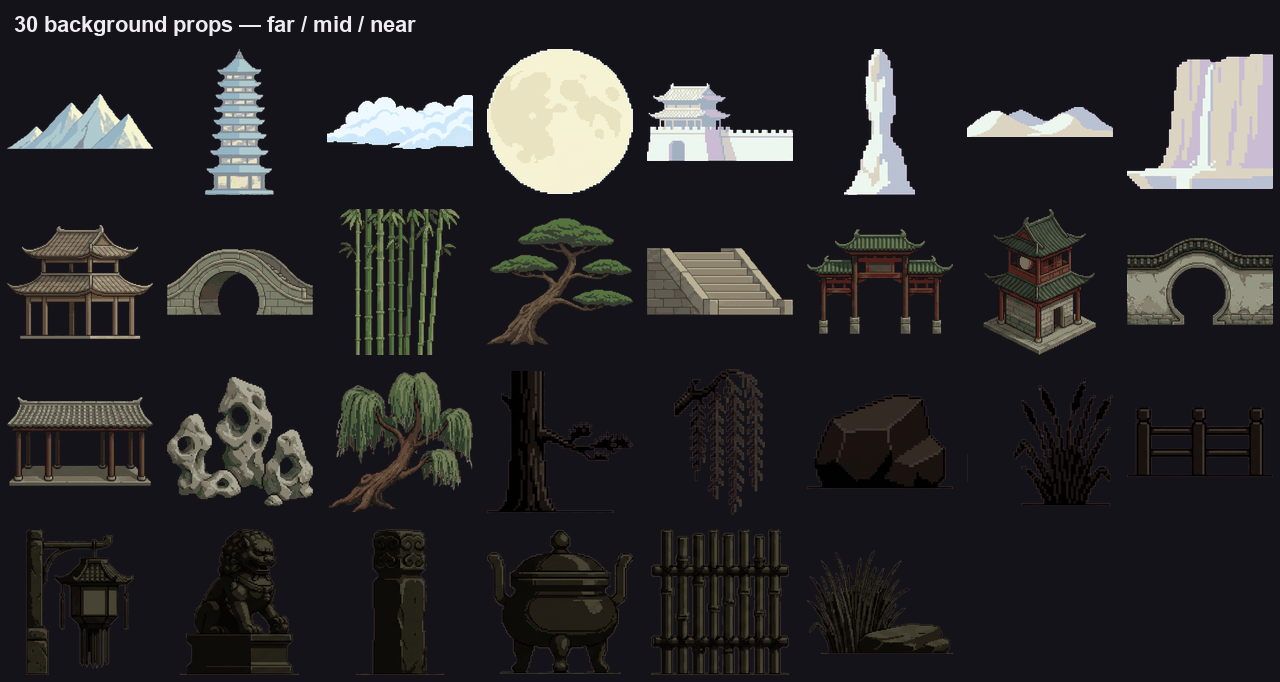
- 30 background props across 3 parallax depth layers
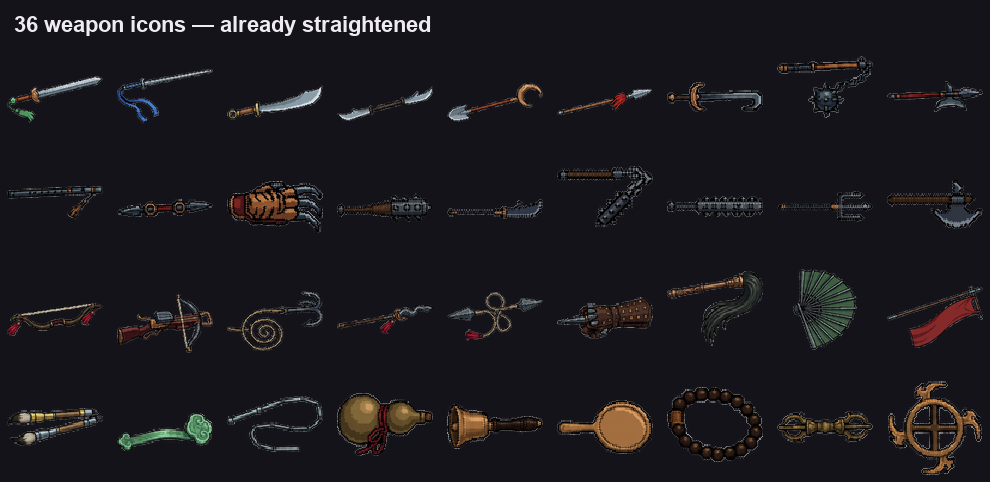
- 36 weapon icons — swords, spears, relics, chain weapons, ranged
Three kinds of art made to work together, but each folder stands on its own. Take only the effects if that is all you need.
The effects are monochrome on purpose
Every effect is drawn in white → dark grey only. No hue at all.
That is not an oversight. It lets you tint one effect to a dozen elements at runtime with a single colour multiply — a white sword arc becomes fire, ice, poison or holy without another sprite. One effect does the work of ten.
If you would rather have them coloured on disk, multiply once in your image editor and ship that.
Anchors
An effect is not always centred on the caster. pack.json gives each one an anchor:
| anchor | Align the cell’s… |
|---|---|
center | centre to the caster’s body |
bottom | bottom edge to the ground line |
left | left edge to the casting hand, flip with facing |
Centring a bottom effect leaves it floating in mid-air; centring a left effect makes the beam come out of the character’s chest.
bottom means where it lands, not where it comes from — falling lightning and raining swords anchor to the ground they hit.
The backgrounds are separate props, not a wide image
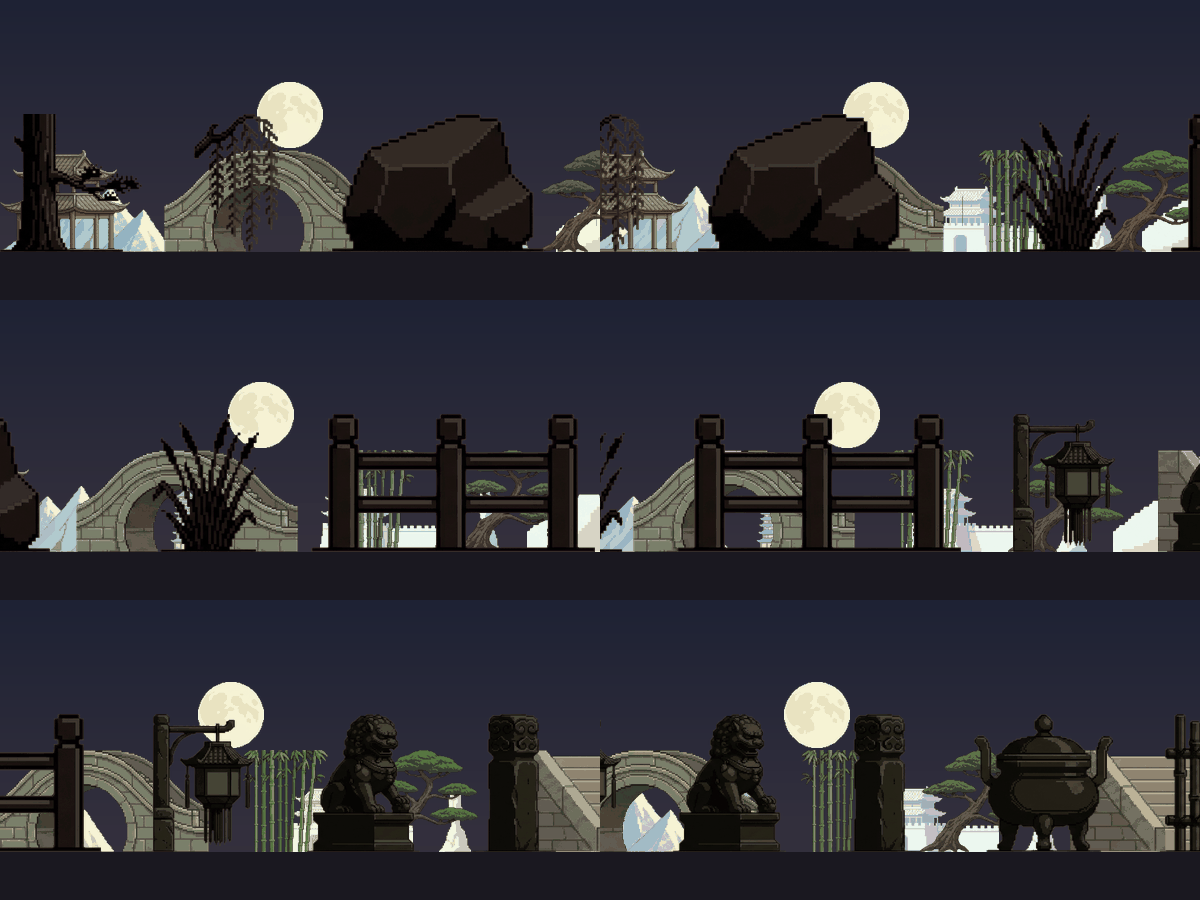
There is no seamless scrolling backdrop here, and that is deliberate: a tiling image has a seam and you would fight it forever. Instead you get individual objects to scatter along each depth layer. What repeats is the placement, not a picture — so nothing ever lines up into a visible loop.
| Layer | Suggested parallax | Look | Pieces |
|---|---|---|---|
far | 0.06 | pale, washed out, low contrast | 8 |
mid | 0.18 | mid-tone, readable structure | 11 |
near | 1.00 | near-black silhouettes | 11 |
Those are the factors the game these came from uses. The ratio matters more than the numbers: each layer moves about three times as fast as the one behind it.
The depth is painted in, not faked with scale. The far layer is pale and low-contrast because distance washes colour out; the near layer is nearly black so it never competes with your character. Scaling a mid-layer prop down does not make it read as far away — the tone is what does that.
pack.json flags every piece with ground: true stands on the ground line, false belongs in the sky (the cloud band and the moon, nothing else).
The weapons are already straightened
Horizontal, tip to the right, grip centred at the left edge — cut from 45° source sheets and rotated for you. 80–128 px along the long edge.
Sizes
| Cell | Art | |
|---|---|---|
| Spell effects | 256 × 256 | fills the cell |
| Background props | trimmed, no cell | 148–644 px wide |
| Weapons | trimmed, no cell | 80–128 px long |
Formats
Every effect ships both ways:
- Sprite strips —
fx/xf_taiji.png, one horizontal row of 256 × 256 cells. No padding, no trim, no atlas packing: frame n is atx = n * 256. - Individual frames — the same frames already cut, as
fx/xf_taiji_frames/xf_taiji_00.png,_01.png, …
Frame counts differ per effect (11–18). pack.json has the exact number, plus the anchor for every effect, the layer and parallax factor for every background prop, and the size of every weapon.
Importing
Godot — drop the folder in, set the project to Nearest filtering, then Sprite2D + hframes = <frames> for an effect strip, or drag the cut frames onto an AnimatedSprite2D. Background props go on one Parallax2D / ParallaxLayer per depth layer, with the factors above.
Unity — select a strip, Sprite Mode: Multiple, Filter Mode: Point, Compression: None, then Sprite Editor → Slice → Grid By Cell Size 256 × 256. Weapons and background props are single sprites.
GameMaker — Import Strip Image, 256 × 256, frame count from pack.json.
Use nearest-neighbour filtering everywhere. The art is drawn at high pixel density and stays sharp when scaled down; scaling up past 1× goes soft.
Optional second download
Original Sheets — the 33 raw grids every piece was cut from, uncut and unscaled at 1024–1376 px, background not removed. You don’t need it. Grab it to re-cut at a different cell size, keep frames I dropped, or do a cleaner cutout than mine.
AI disclosure
Every image was generated with Google Gemini from written text prompts, then cut, cleaned, aligned and assembled by hand. No existing artwork was used as an input, reference or img2img source.
License
CC0 1.0 Universal, full text in LICENSE.txt. Ship it, sell what you make with it, no attribution required.
Download
Click download now to get access to the following files:
Development log

Leave a comment
Log in with itch.io to leave a comment.